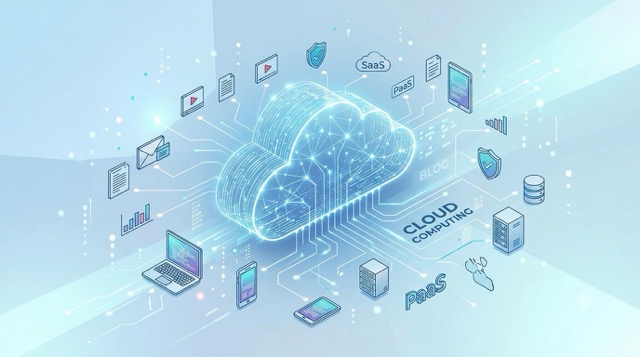
Not long ago, launching a web application meant buying physical hardware, mounting it into noisy server racks, and configuring complex networking cables by hand. If your app went viral overnight, your servers crashed. Today, that paradigm is completely obsolete. The cloud has transformed physical infrastructure into pure software, enabling developers to scale systems globally with a single line of code.
1. The Shift to Cloud: Infrastructure as a Service
Cloud computing is the on-demand delivery of computational power, database storage, and networking over the internet. Instead of maintaining depreciating physical data centers, companies rent dynamic access from massive cloud providers. The industry structures these offerings into three distinct models:
- IaaS (Infrastructure as a Service): You rent the raw computational building blocks—like virtual CPU cores, storage volumes, and network routing. You are entirely responsible for securing and managing the operating system and software layers (e.g., AWS EC2).
- PaaS (Platform as a Service): The cloud provider abstracts the hardware, operating system, and runtime environments. You simply provide your application code, and the platform handles the underlying execution (e.g., AWS Elastic Beanstalk, Heroku).
- SaaS (Software as a Service): Fully managed, end-user applications delivered over the web where the vendor handles all backend infrastructure and maintenance (e.g., Google Workspace, GitHub, Slack).
2. The Containerization Revolution: Enter Docker
Before containers, engineers relied on Virtual Machines (VMs) to isolate different applications on a single physical server. However, VMs are exceptionally heavy. Every VM requires its own massive guest operating system, consuming gigabytes of memory and taking minutes to boot.
Docker completely upended this by introducing containerization. Instead of virtualizing the hardware, Docker virtualizes the operating system. Multiple containers share the exact same underlying host OS kernel, making them incredibly lightweight—often taking up just megabytes of space and booting in milliseconds.
A Docker container packages your raw application code, runtime environment, system libraries, and environmental variables into one immutable, standard unit. This guarantees that if your code compiles and runs on your local laptop, it will execute identically on a production AWS cluster, permanently solving the infamous "but it worked on my machine" dilemma.
3. Scaling at Scale: Kubernetes (K8s)
Running a single Docker container locally is easy. Running five hundred containers across a fleet of fifty servers in a live production environment is a logistical nightmare. How do you route traffic? What happens if a server catches fire? How do you update the software without taking the platform offline?
This is solved by Container Orchestration, an arena entirely dominated by Kubernetes. Originally engineered by Google, Kubernetes acts as the autonomous brain for your container fleet. It continuously monitors your architecture and automatically handles:
- Self-Healing: If a container crashes or becomes unresponsive, Kubernetes instantly terminates it and spawns a healthy replacement.
- Auto-Scaling: If incoming web traffic spikes, Kubernetes dynamically allocates more containers to handle the load, scaling them back down when traffic subsides to save money.
- Load Balancing: It intercepts massive waves of web traffic and distributes it perfectly across your container pods to prevent bottlenecks.
- Zero-Downtime Deployments: It rolls out new application updates progressively, shutting down old containers and spinning up new ones one-by-one, ensuring users never experience a dropped connection.
4. Navigating Amazon Web Services (AWS)
Amazon Web Services is the undisputed titan of cloud infrastructure. While the AWS console offers hundreds of specialized services, mastering modern DevOps means understanding the core foundational pillars that power almost every web application today:
- EC2 (Elastic Compute Cloud): The backbone of AWS. These are the raw, scalable virtual servers where you install operating systems, run Docker instances, and execute backend application logic.
- S3 (Simple Storage Service): An infinitely scalable, highly durable object storage "bucket." It is used to store static assets like user image uploads, video files, application backups, and frontend website builds.
- RDS (Relational Database Service): Managed SQL databases (like PostgreSQL or MySQL). AWS handles the complex DBA tasks, including automated snapshot backups, security patching, and multi-zone replication for disaster recovery.
- VPC (Virtual Private Cloud): Your private, logically isolated network inside AWS. It allows you to define public subnets for your web servers and lock down private subnets so your databases are entirely shielded from the open internet.
- CloudFront: A global Content Delivery Network (CDN). It caches your website's static data at edge locations worldwide, ensuring a user in Tokyo downloads your images just as fast as a user in New York.
5. The Paradigm of Serverless Architecture
"Serverless" is a slight misnomer—there are absolutely still physical servers executing your code. The paradigm shift is that you no longer manage, provision, or pay for idle servers. In a traditional model, you pay for a server 24/7, even if zero users visit your site at 3:00 AM.
With Function-as-a-Service (FaaS) ecosystems like AWS Lambda, your code sits completely dormant on AWS hard drives. The exact millisecond a user clicks a button on your app, AWS instantly provisions a micro-container, executes your script, returns the data, and destroys the container. You are billed purely for the execution time. If no one uses your app, your computing bill is literally zero.
6. Infrastructure as Code (IaC) and CI/CD Pipelines
When deploying production architectures, clicking through cloud dashboards manually is a severe security and stability risk. Modern DevOps teams treat servers exactly like software by utilizing Infrastructure as Code (IaC).
Using tools like Terraform or AWS CloudFormation, engineers write plain-text scripts that define exact infrastructure states—from network firewalls to database clusters. If a company wants to duplicate their entire European production environment in Asia, they simply run their Terraform script, and the cloud provider builds the exact architecture identically in minutes.
The CI/CD Workflow
Getting code from a developer's laptop to a live production server safely relies on strict automation pipelines:
- Continuous Integration (CI): A developer pushes new code to GitHub. An automated pipeline (like GitHub Actions) instantly detects the change, compiles the app, and runs hundreds of unit tests. If a single test fails, the deployment is blocked, preventing broken code from reaching users.
- The Container Build: If the tests pass cleanly, the pipeline automatically packages the code into a fresh, version-tagged Docker Image and stores it in a secure registry.
- Continuous Deployment (CD): Finally, the pipeline signals the production environment (like a Kubernetes cluster) to pull the new Docker image and gracefully shift live user traffic over to the upgraded application, all without human intervention.
Mastering modern engineering means thinking "cloud-native." By moving past treating servers like fragile hardware, and instead orchestrating them as an automated, disposable utility grid, developers unlock unparalleled speed. Building high-availability, highly secure, globally scaling systems is no longer a privilege reserved for tech giants—the cloud has democratized global infrastructure for anyone with a terminal.